

You can access our Applicant Management System for a specific job ad by logging onto employers.ethicaljobs.com.au, clicking on either the "Live ads" or "Expired ads" tabs on your Jobs dashboard and then selecting the relevant job ad:
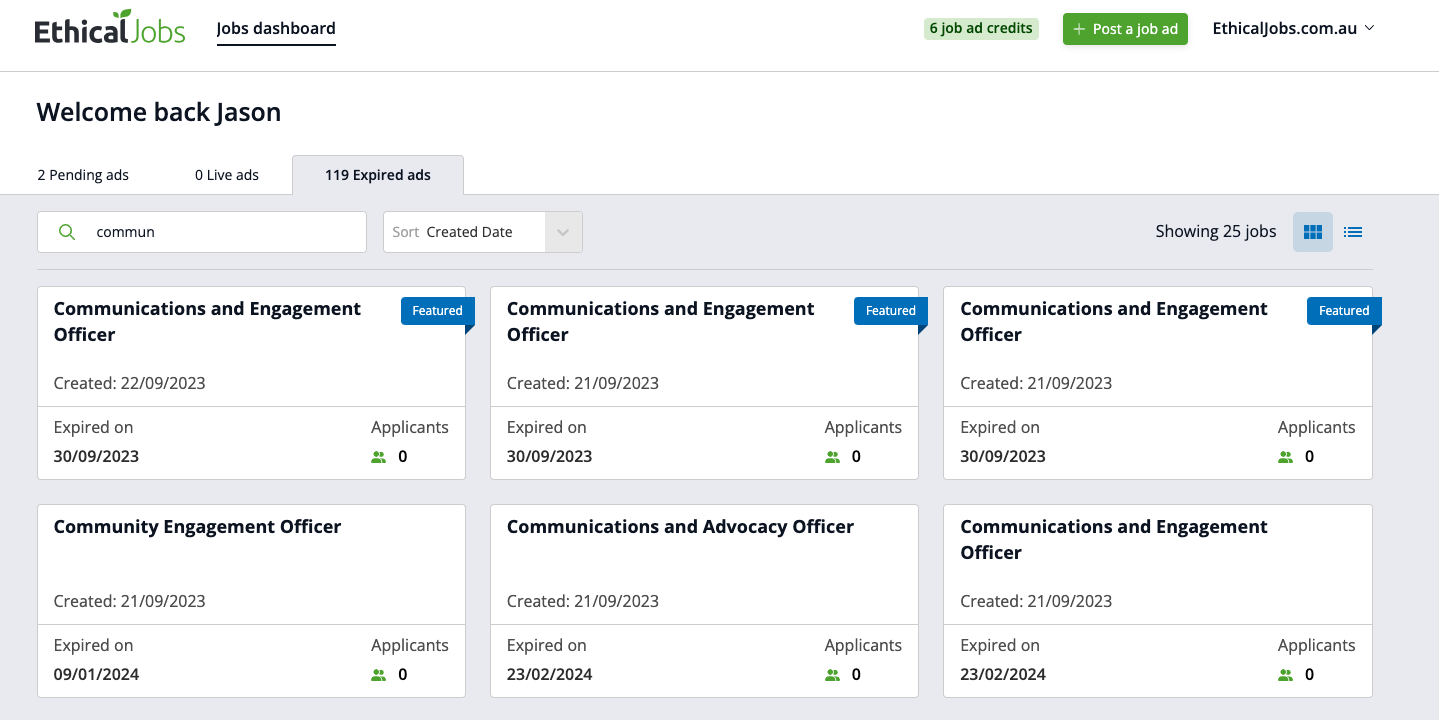
You'll then see a list of all new applicants for that job, and you can click on each applicant's name:
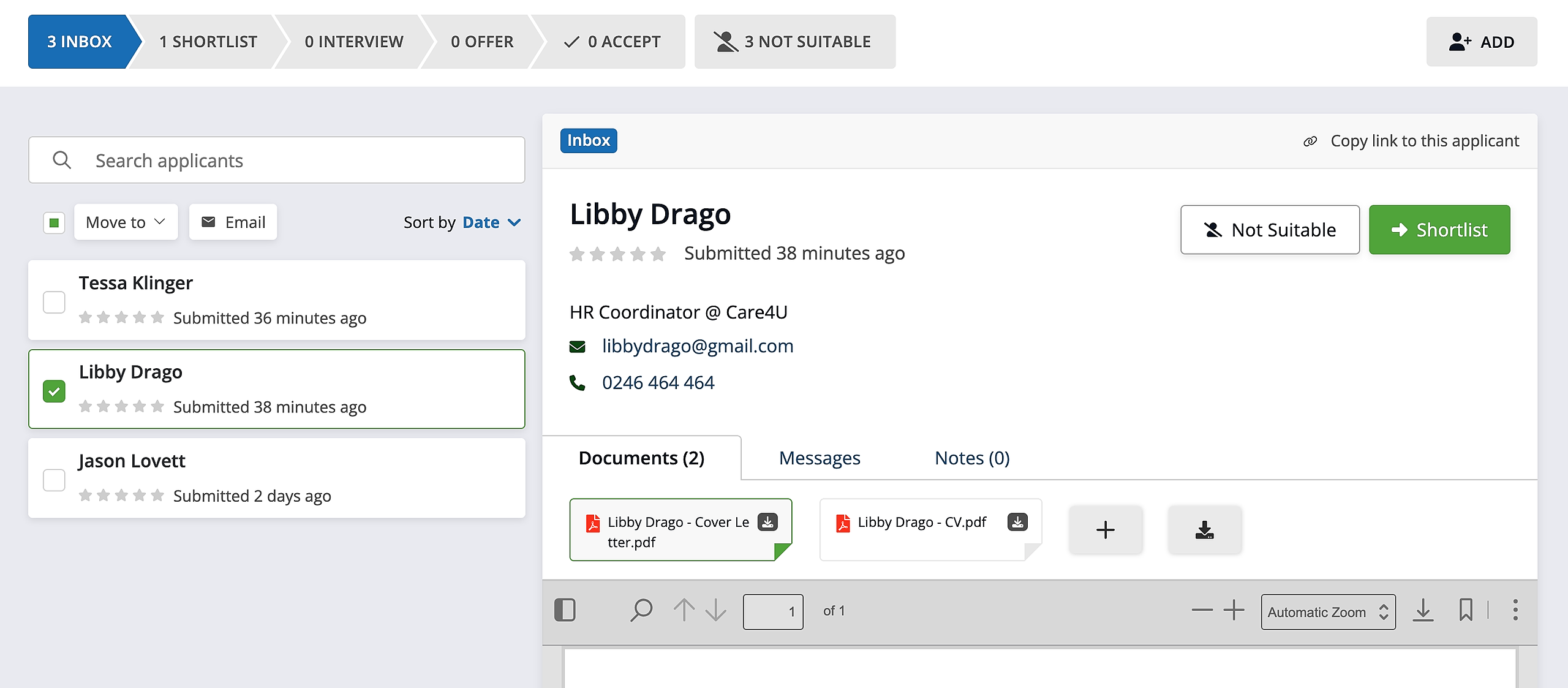
Once you're viewing an applicant's details, you can:
Read their CV, cover letter and any other documents they submitted
Add notes about the applicant via the "notes" tab in the applicant view
Tag a colleague within a note – by typing @[name] – if you want to draw their attention to the applicant
Message the applicant by clicking on their email address
Bulk message multiple applicants by selecting the checkboxes next to their names, and then clicking the "Message selected" button
Give applicants a star rating for quick and easy review
Move applicants to the next stage in the recruitment process, or to "Not suitable"