

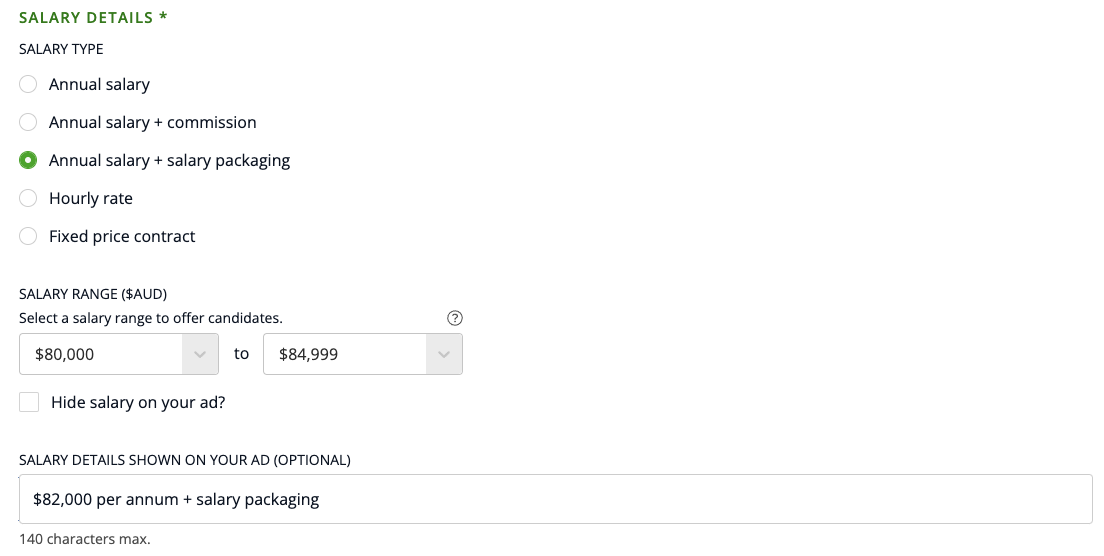
When you're posting a new job ad, you'll be asked to select 1) a salary type; 2) a salary range; and 3) what to display to jobseekers on the EthicalJobs.com.au site.
To edit what salary information is displayed on your job ad:
1) Select the salary type.
2) Select both a minimum and maximum salary range.
3) Edit the text in the Salary Details Shown on Your Ad box to reflect what you want to be displayed on your job ad. You can use this box to show the salary amount as a single number (instead of a range), or add any other salary related benefits you want to highlight:
If you choose to show the salary details to jobseekers, this is how your salary information will appear to job seekers on your job ad:

Finally, if you don’t want any salary information displayed on your job ad, just check the “Hide salary on my job ad?” box and no salary information will be shown on the live job ad.