

Applicants can only reply to your messages if you’ve allowed replies on your most recent message.
You can choose whether or not applicants can reply to your messages by using the "Allow Replies" toggle.
Allow replies
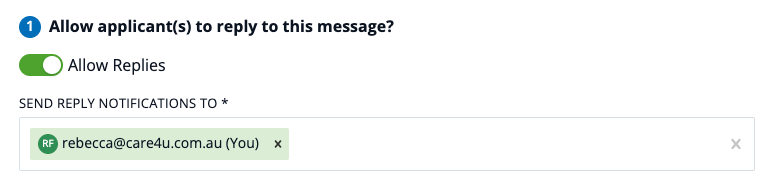
If you allow replies (the default state, when the toggle is green), applicants will be able to write back to your most recent message, and also to any previous messages you’ve sent them about that job. You can choose which users receive notifications about replies from the applicant(s) using the 'Send reply notifications to' box:
Don't allow replies
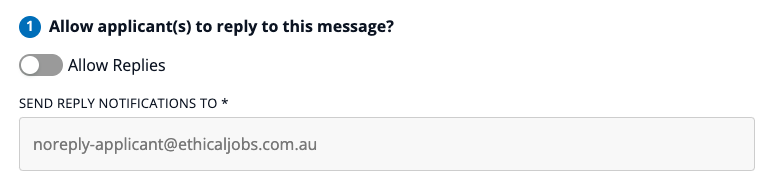
If you don’t allow replies (when the toggle is grey), applicants won’t be able to reply to your message, or to any earlier ones. Instead, they’ll see a note under your message: “Please note that you cannot reply to this message as the employer has chosen not to allow replies.” The 'Send reply notifications to' box will be not be editable:
If you don’t allow replies but then change your mind, you can send another message with replies allowed, and the applicant will once again be able to reply to your messages.
Six months after a job ad has closed, applicants will no longer be able to send replies to your messages - regardless of whether you initially allowed replies. However, you can still send messages to them – and if you allow replies in a new message, they’ll once again be able to respond.
This means you’re always in control of whether or not applicants can respond to your messages.