
You can easily see which applicants have been messaged via our Applicant Management System in two ways:
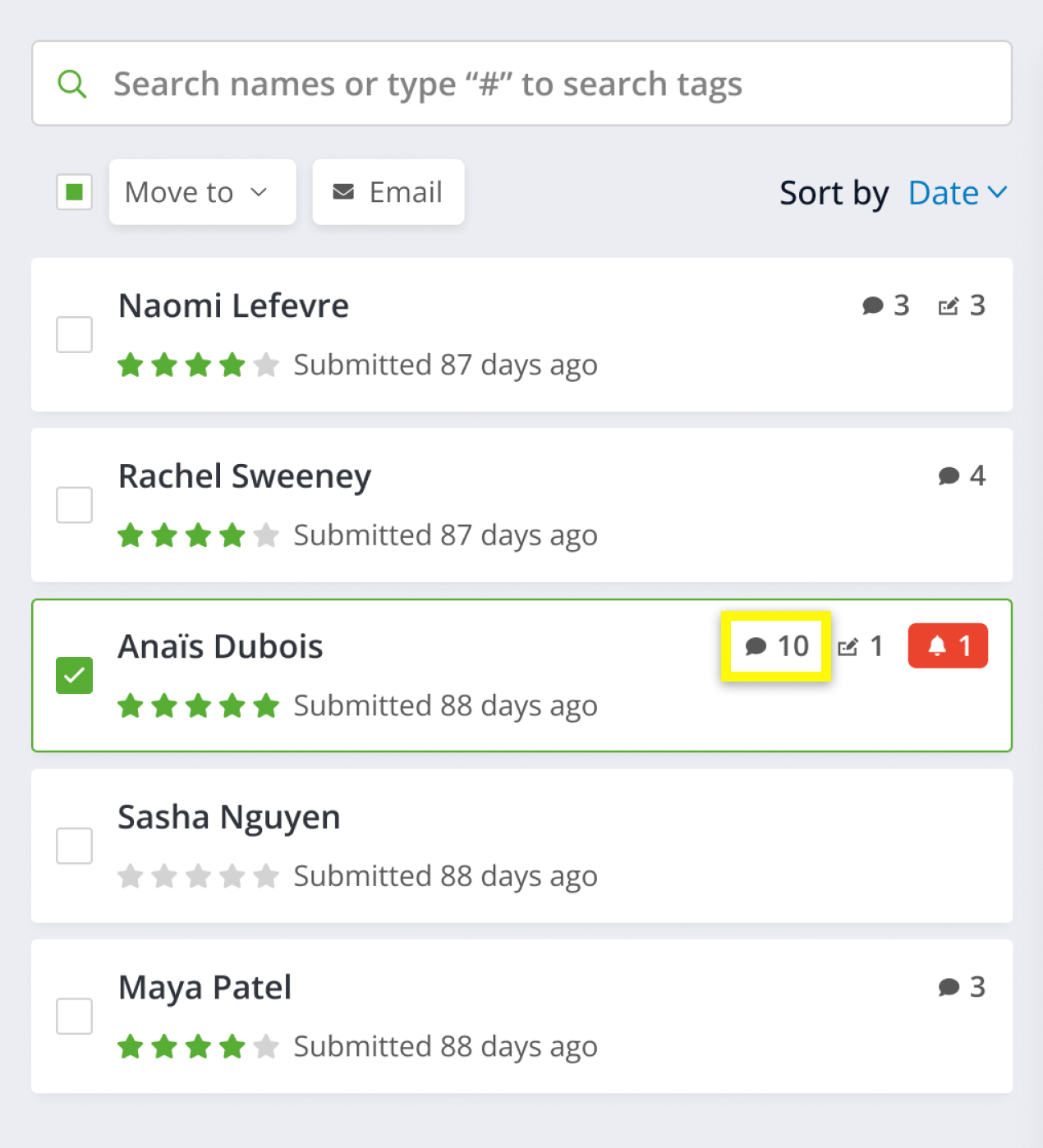
1. When viewing the applicants list, you can see who has been previously messaged by the "message sent and received" icon next to the applicant's name. If the applicant has this icon next to their name, it means that they have been sent at least one message via the Applicant Management System.
The number on the icon represents the number of messages that have been exchanged with the applicant - including messages received from them:
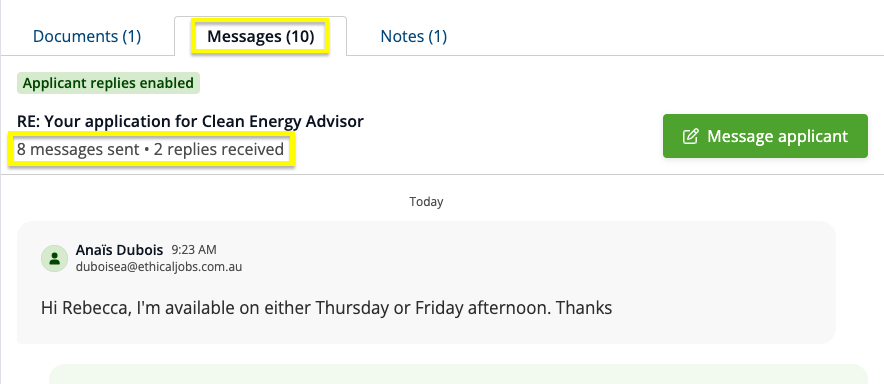
2. You can also look at the message history tab for an applicant. The tab will show the number of messages exchanged with the applicant, including messages received from them: