

You can add notes about individual applicants or leave comments for your colleagues within the applicant management system (AMS).
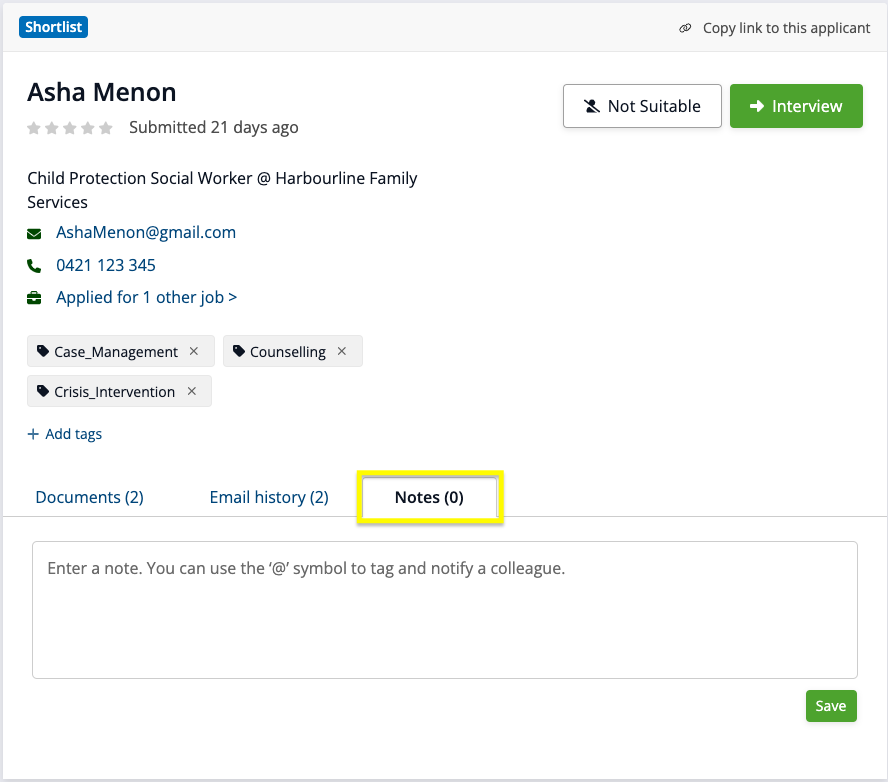
To do this, go to an applicant’s details view and click on the Notes tab below their details. From there, you can write new notes or read notes that have already been added by you or your team. Click 'Save' to save your note:
Editing/deleting a note
You can edit and update a note if you were the one who originally created it. Just click the 'Edit' button below the note, make your changes, then click save.
Any edits you make will be updated for all users in your organisation's account.
You can also delete a note if you were the one who originally created it, by clicking the 'Delete' button below the note. Once a note is deleted it cannot be recovered.
A deleted note will be deleted for all users in your organisation's account.
Can I tag another team member in a note?
When writing a note about an applicant, you can tag a colleague to draw their attention to your comment – this will send them a notification email with your comment. Find out more about tagging a colleague in a note here.