
You can securely save your credit card details within your organisation's account to make future purchases faster and easier.
When you enter your card information during a purchase, you’ll have the option to save these details for later use by ticking the checkbox labeled "Securely store these credit card details for future purchases".
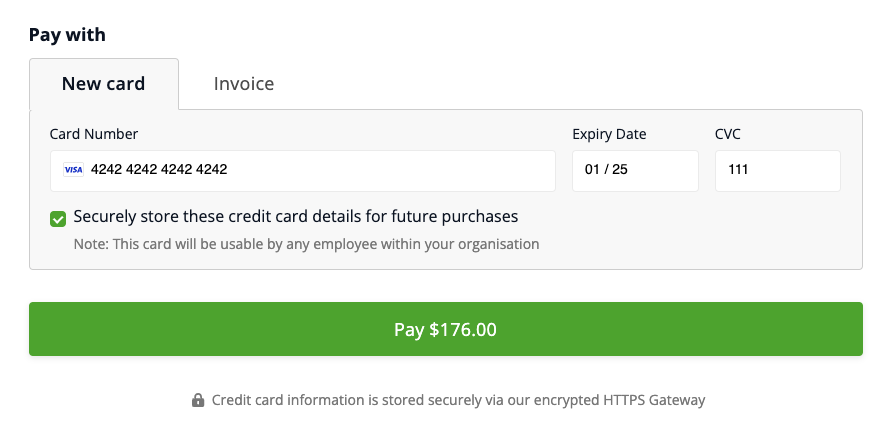
Pleas note that if you tick the "Securely store these credit card details" checkbox, your card details will be accessible to you and also all other users in your organisation's account, for all future purchases.
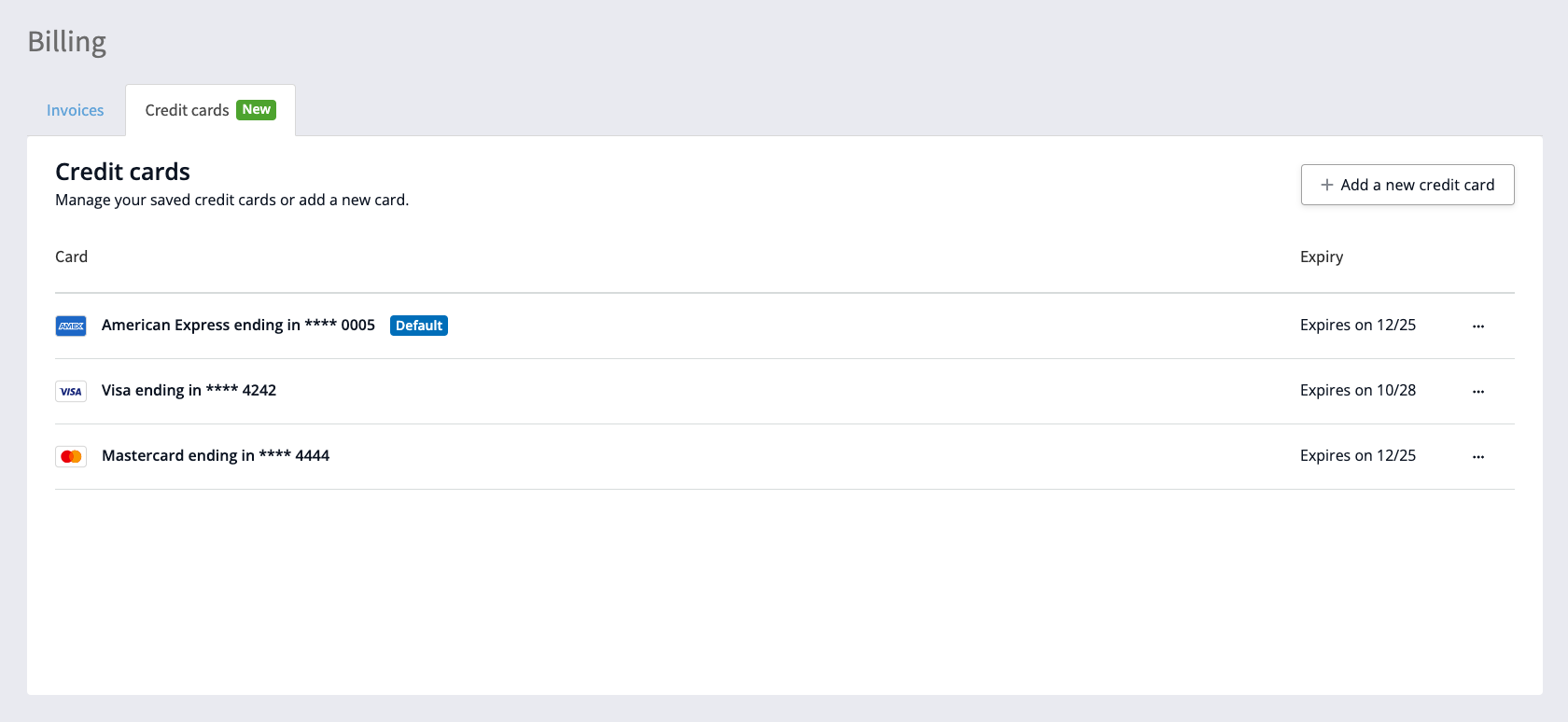
You can add your credit card directly in the Credit cards tab without needing to make a purchase by clicking the menu in the top right corner of your browser winder and selecting the Billing item:
How is my credit card information stored?
Your credit card details are securely stored by Stripe, the world's largest payment processing service, trusted by millions of businesses across the world. Stripe uses advanced encryption and security measures to ensure that your payment information is protected.
Your credit card details are not stored locally on the EthicalJobs.com.au site.
Can update my saved card details?
No — you can’t edit the details of an existing saved credit card. If you need to update a card’s details, the best option is to delete the existing card from the Billing page of your account, and then add the new card.
How do I delete a saved card?
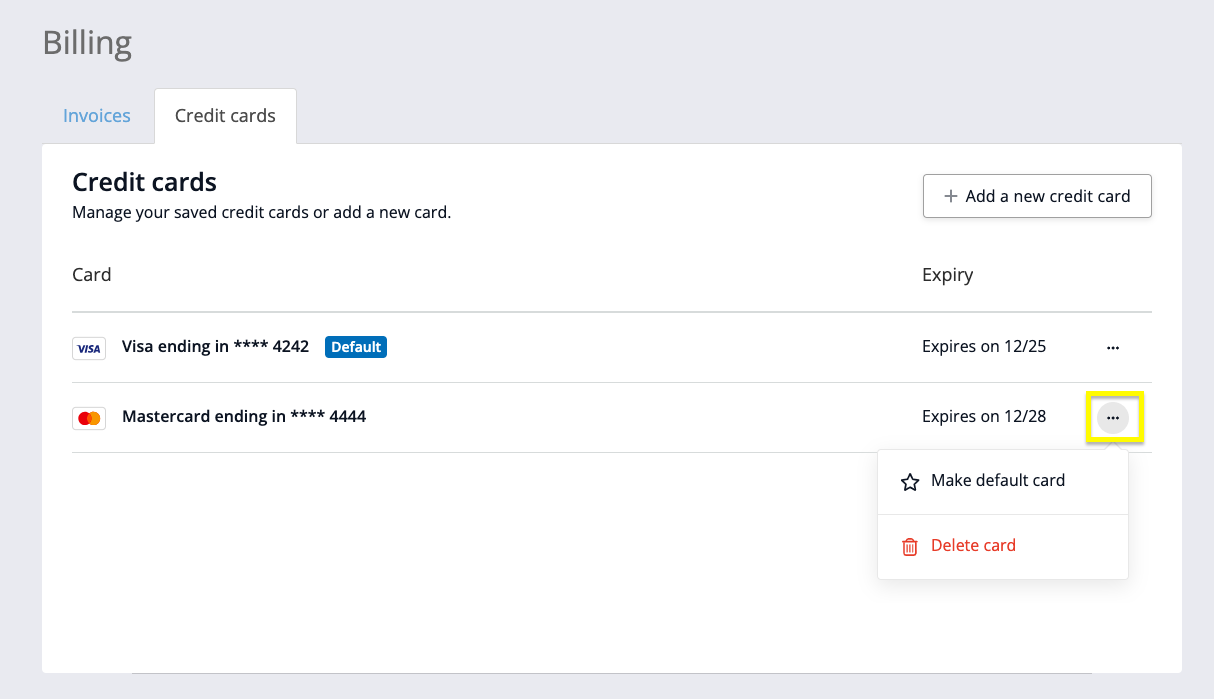
To delete a card or set a default card:
Go to the Billing page in your account;
Click the three dots next to the card you want to manage; and
Choose one of the following options:
Delete card: the card will immediately be removed from the system for all users in your account; or
Make default card: the card becomes the default one used for purchases in your account (Note: this is available only if you have more than one card saved — if there’s just one card, it’s automatically the default)